

|
Name |
Notification Bar |
|---|---|
|
Google Play Link |
GET IT ON
Google Play
|
|
Category |
Personalization |
|
Developer |
ZipoApps |
| Last version | 18.5.11 |
|
Updated |
|
|
Compatible with |
Android 5.0+ |
Introduction to Notification Bar
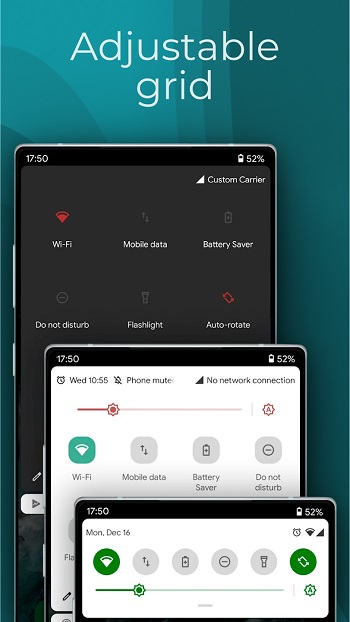
Sometimes the smallest tools can have the biggest impact on how you use your phone — and Notification Bar proves that. This Android utility app gives your notification area a whole new personality. It's built for people who want smoother access, custom vibes, and better control over their digital world. Think of it as the control center you actually want to use, minus the clutter or confusing menus.
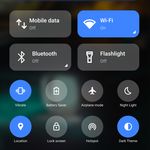
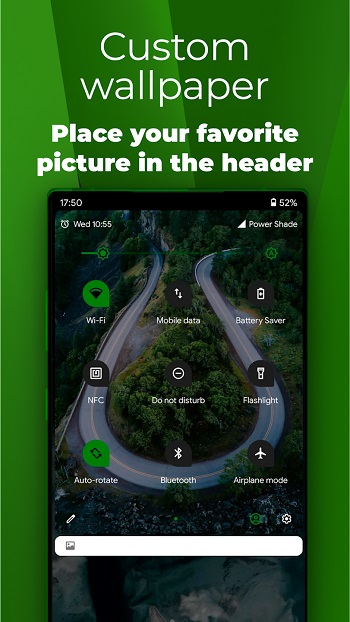
If you're the type who loves customizing every pixel of your phone, this app feels like a breath of fresh air. It lets you totally rework your notification tray — from how it looks to what it shows. Quick toggles? You decide which ones. Brightness slider? Keep it or toss it. Shortcuts, system stats, music control — it’s all at your fingertips, and you’re the one calling the shots.
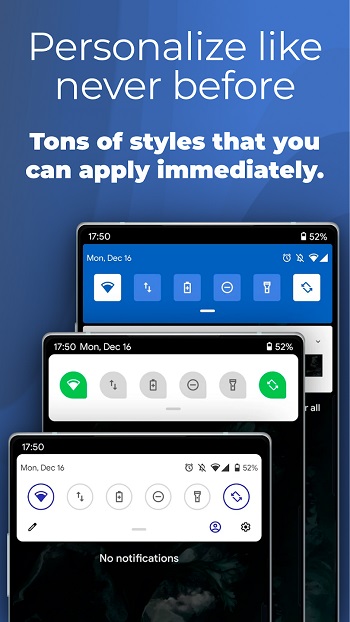
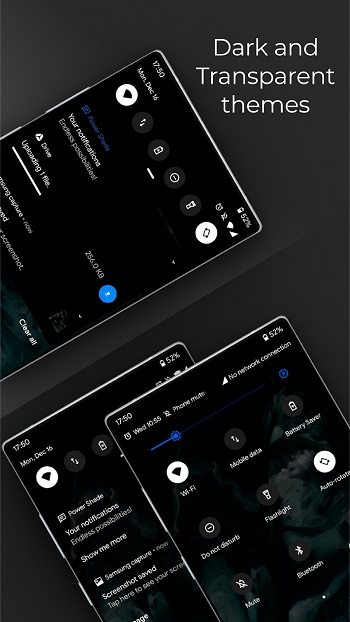
What makes Notification Bar stand out is how ridiculously flexible it is. Want a neon-colored theme to match your lock screen aesthetic? Go for it. Prefer a sleek dark mode that doesn’t fry your eyes at 2 a.m.? That’s covered too. The theming options are anything but basic, and they’re way more than just “light or dark.” Every piece can be tuned to fit your vibe.
Function-wise, the app doesn’t just sit there looking pretty — it actually works hard for you. It pulls essential info like battery percentage and storage space right into your top screen so you don’t need to dig through system settings just to figure out why your phone is lagging. That’s efficiency, not just decoration.
Also: shoutout to the built-in music controller. Having to switch apps just to pause your playlist is so last decade. With this feature, you’re DJ-ing from the top bar. Want to skip to the next track while scrolling TikTok or texting a friend? You literally don’t even have to stop what you’re doing.
The notification management part? Game changer. You decide which apps get screen time and which ones go quiet. No more random alerts blowing up your phone when you’re trying to focus. It gives you control without asking you to go on a settings scavenger hunt.
At the end of the day, Notification Bar is built for people who use their phones like a hub — for music, work, chill, and everything in between. If you’re tired of the stock Android interface and ready to make your device feel a little more you , this app makes it happen — without making you jump through a million setup hoops.
FAQs Notification Bar
What is Notification Bar?
+
Notification Bar is a customization tool for Android that lets users personalize their notification tray with themes, toggles, and quick access tools.
Can I control which apps show notifications in Notification Bar?
+
Yes, the app allows you to filter notifications by app so you only see alerts that matter to you.
Does Notification Bar include music controls?
+
It has a built-in music player controller, so you can play, pause, or skip tracks directly from your notification panel.
Is Notification Bar hard to set up for new users?
+
Not at all. While it has a lot of features, the interface is simple and you can tweak things gradually based on your preferences.
Can I change how the Notification Bar looks?
+
Absolutely. You can switch themes, adjust layout elements, and even hide or show system info like battery level or storage use.
Discover More Interesting Apps
-
 Mod
Mod
Sticlo Icons
v2.4
25 MB
Updated -
Mod
Screen Color Filter
v6.15.2
22.99 Mb
Updated -
Mod
Always On Edge
v9.7.7
8.14 Mb
Updated -
Mod
WallsPy Interactive Wallpapers
v5.6.1
37.66 Mb
Updated -
iOS Launcher
v8.8.9
16.15 Mb
Updated -
Keys Cafe
v3.11.12
41.88 Mb
Updated -
Beacon Game Launcher
v1.9.0.1
11.00 Mb
Updated -
Mod
ZEDGE
v9.40.1
114.83 Mb
Updated -
Mod
Lumos
v1.2.5
36 MB
Updated -
Mod
Yomo Launcher
v6.6.0
20.29 Mb
Updated








Share Your Thoughts